The 60-second gut check for kids' TV

Audit your kids' shows.

ScreenSense turns a quick TV scan into a clear stimulation score. Quickly analyzes motion, color, cuts, and more to help you find low stimulation shows.


On-device analysis. Your video stays on your phone.
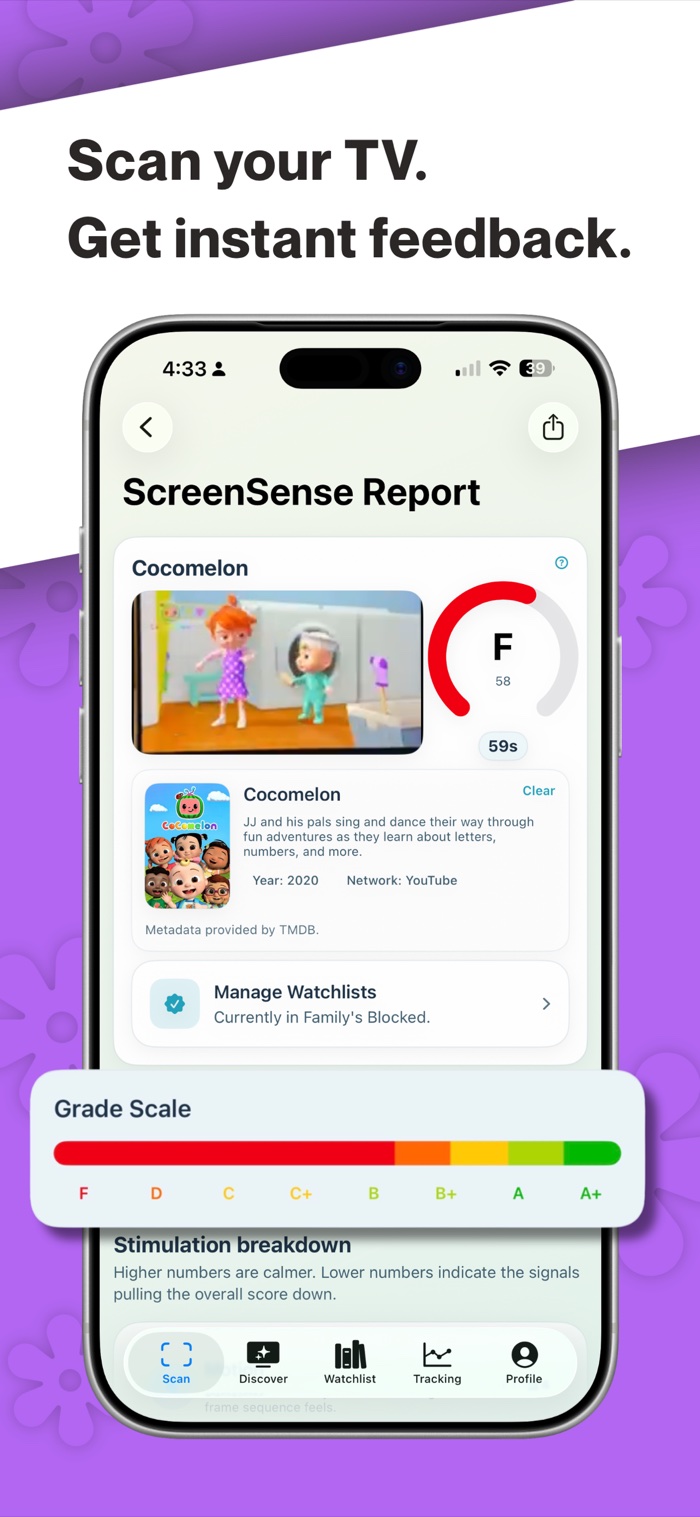
ScreenSense scan report showing a TV-show grade and stimulation scale
60 secPoint your camera at the TV.
4 signalsSee what drives stimulation.
1 clear gradeDecide with confidence.

Inside the app

Scan. Understand. Decide.

Real screens from ScreenSense, from the first scan through the signal breakdown and saved history.

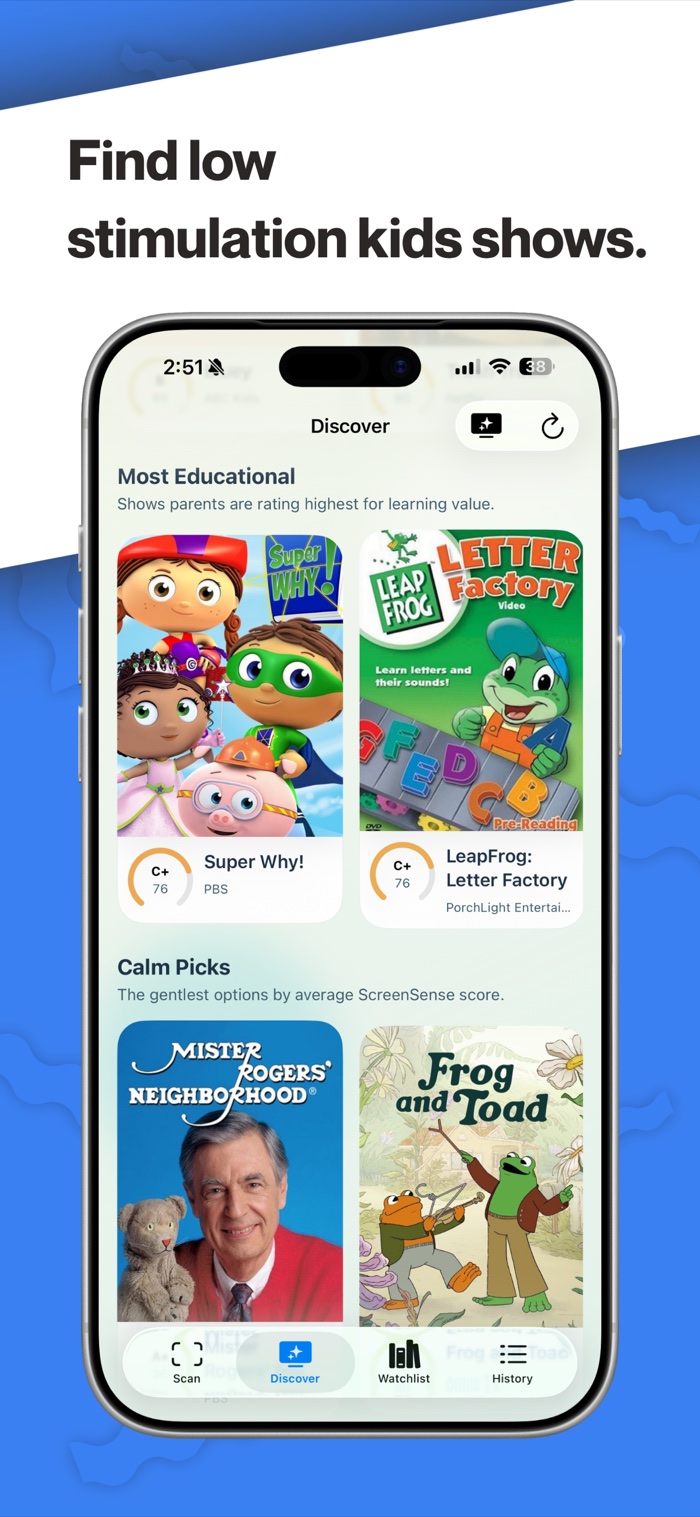
ScreenSense Discover page with educational and calm show recommendations
Find calmer shows.Browse community scores, learning signals, and calmer picks.
ScreenSense scan report with a grade and stimulation scale
Get instant feedback.Turn one minute of TV into a grade and a clear next step.
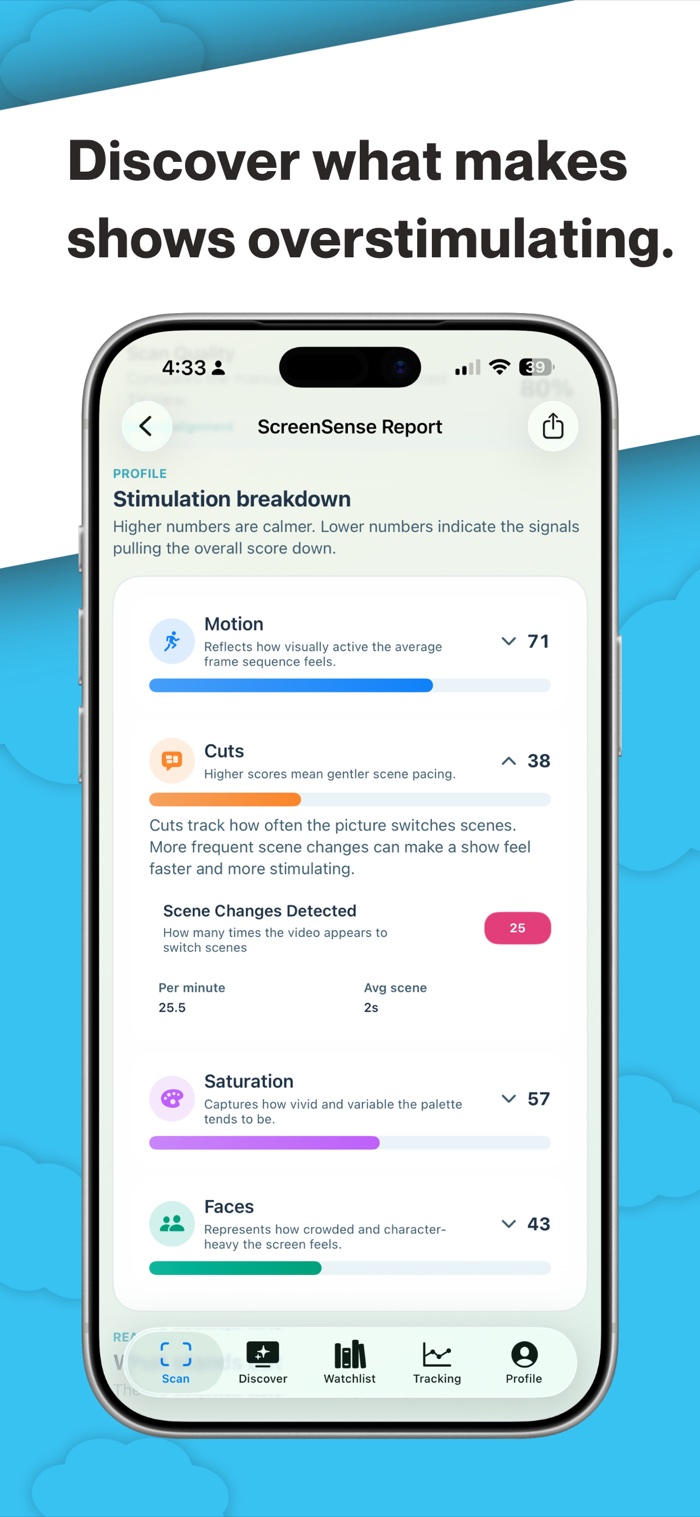
ScreenSense report breaking down motion, cuts, saturation, and faces
See what's driving it.Understand motion, cuts, saturation, and on-screen activity.
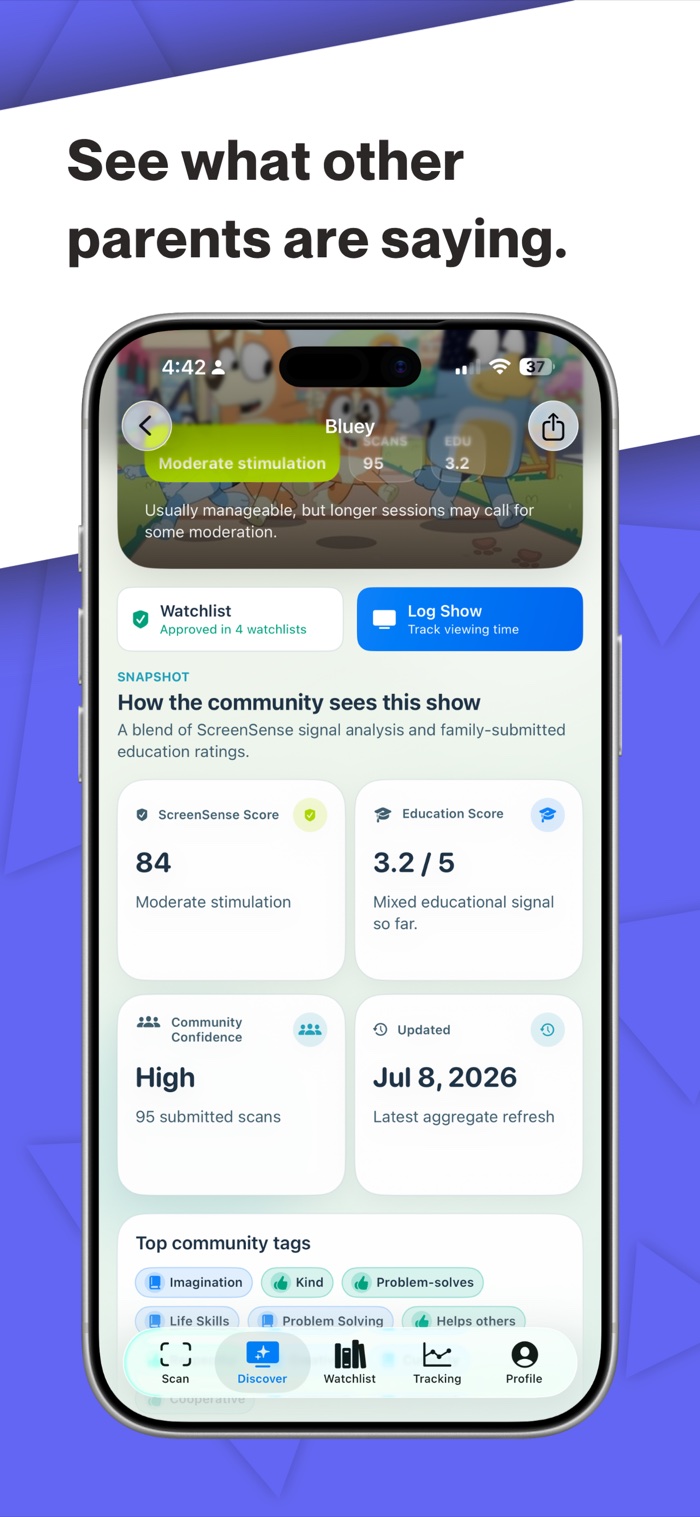
ScreenSense community insights for a children's show
Learn from other parents.See community confidence, education scores, and shared tags.
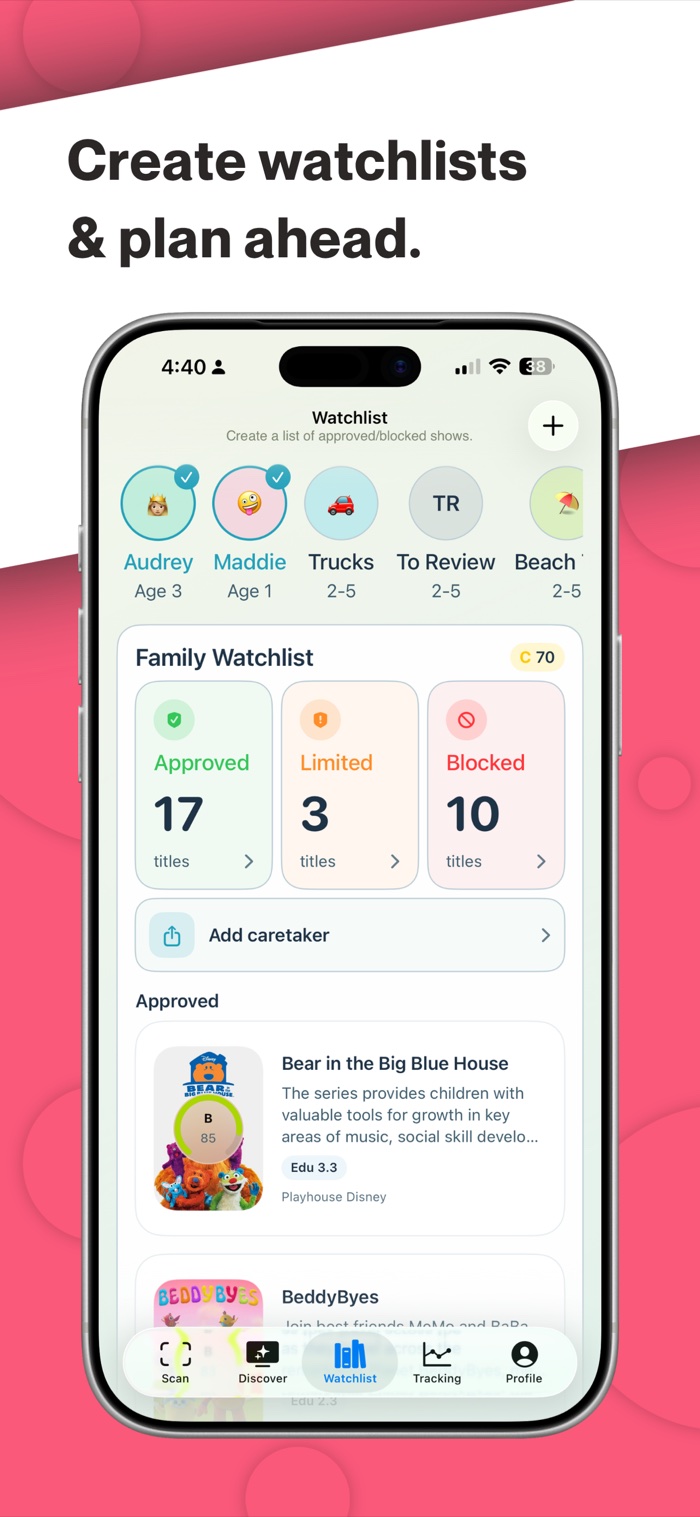
ScreenSense family watchlist with approved, limited, and blocked shows
Plan ahead.Keep approved, limited, and blocked titles organized by child.
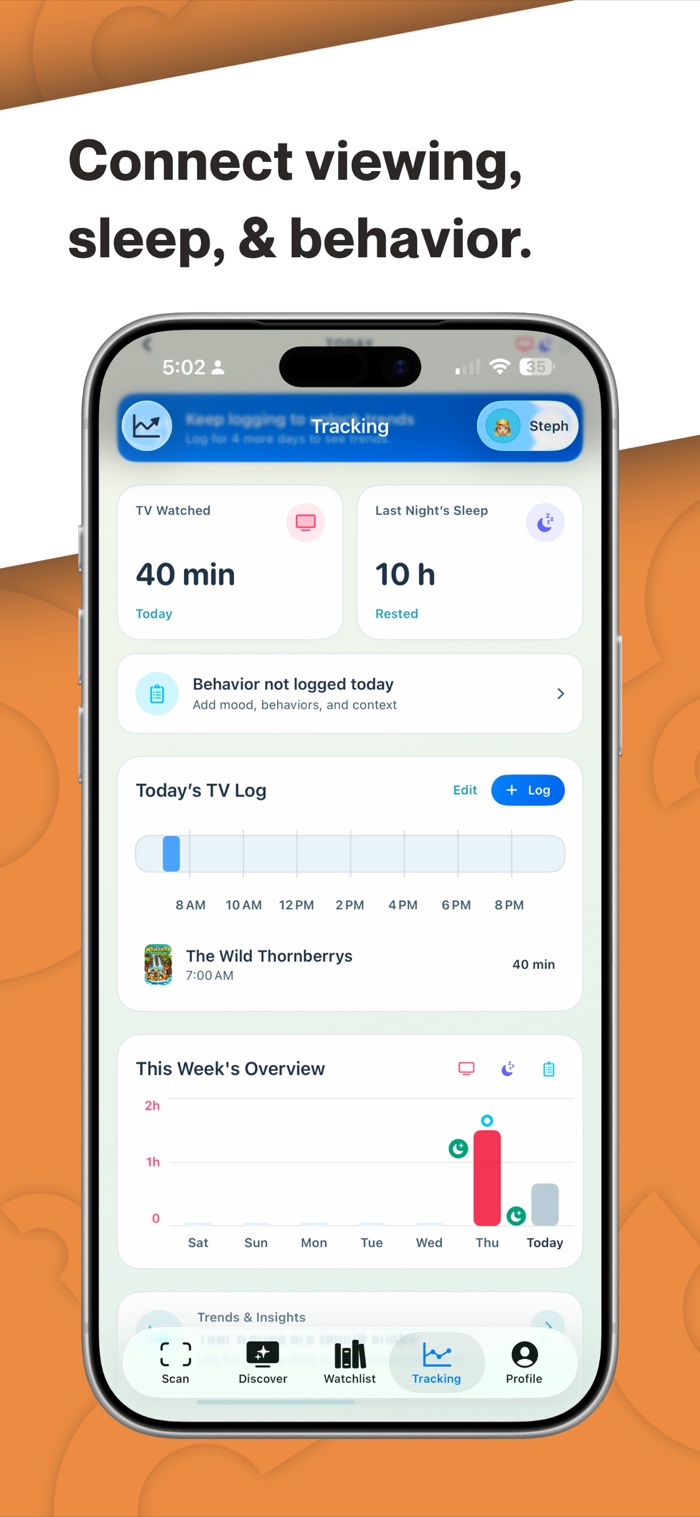
ScreenSense tracking dashboard connecting TV, sleep, and behavior
Connect the whole day.Log TV, sleep, and behavior in one family timeline.
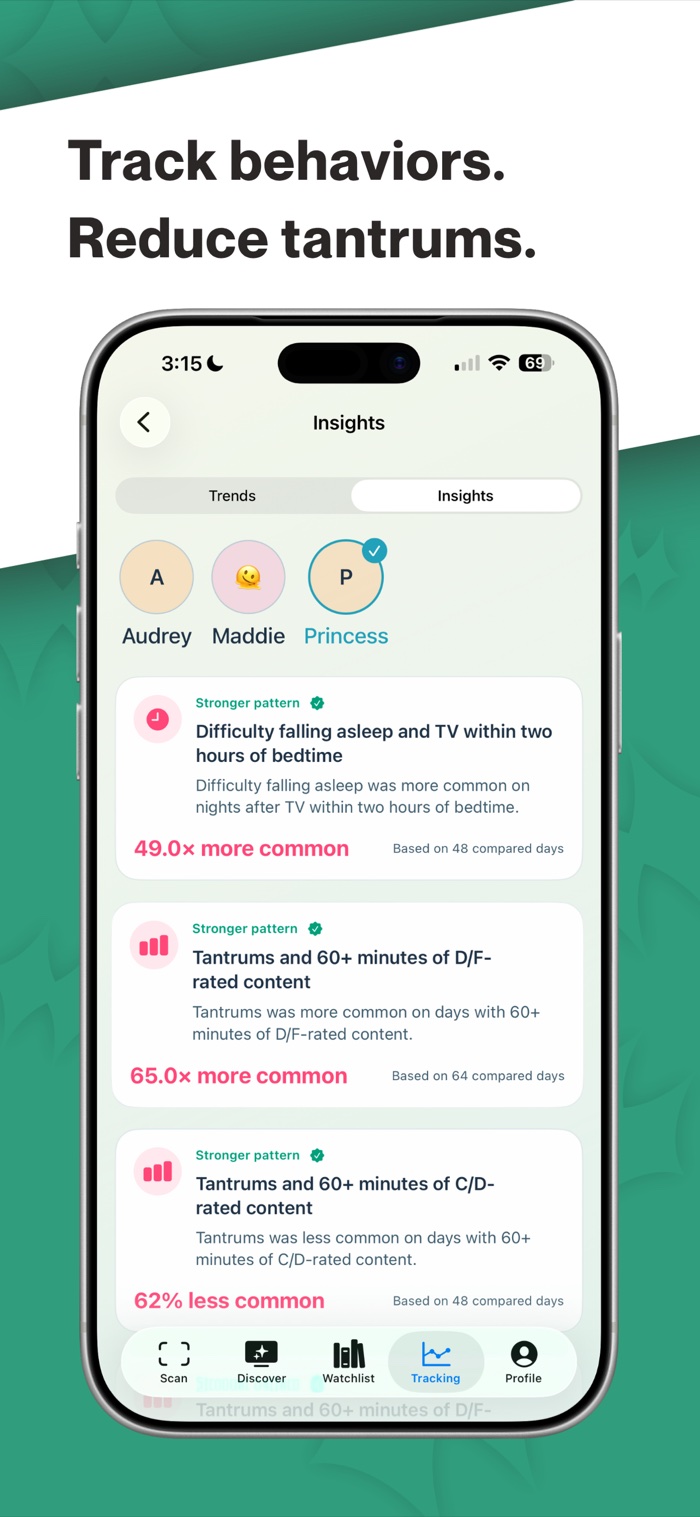
ScreenSense insights showing patterns between TV, sleep, and tantrums
Spot family patterns.Explore associations without turning correlation into blame.
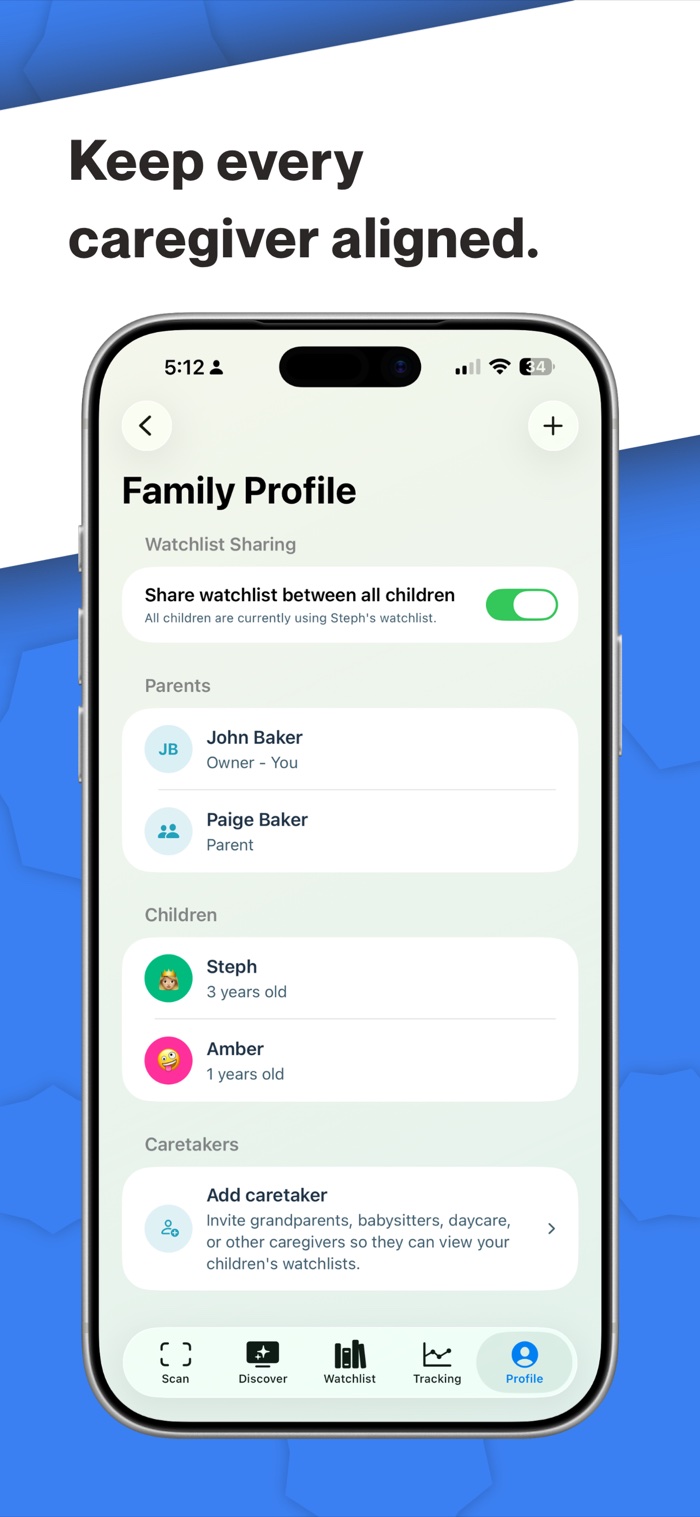
ScreenSense family profile with parents, children, and caregiver access
Keep caregivers aligned.Share the same watchlist decisions with trusted adults.

Less second-guessing

A clearer answer in the moment.

ScreenSense looks at the visual patterns that can make children's TV feel fast, loud, or hard to look away from—and translates them into something useful.

01

Scan what they're watching

Point your phone at the TV for 60 seconds or import a clip. ScreenSense analyzes the content your child is actually seeing.

02

See what drives the score

Understand motion, cuts, color, and faces—not just a mysterious number with no explanation behind it.

03

Choose without the guilt

Use a simple grade and plain-language guidance to pick a calmer option or feel good about the one already on.

A score you can read at a glance

Easy to Understand

Higher scores point to calmer visual pacing. Every result also shows the individual signals behind the grade, so context never gets flattened into one number.

More stimulating Calmer
82Calmer choice

More than a scanner

Build a screen routine that fits your family.

Discover

Find calmer shows faster.

Browse community-backed scores and explore titles with clear context about what the numbers mean.

Watchlists

Keep the yes, maybe, and no together.

Create child-focused lists and share decisions with the parents and caregivers you trust.

Tracking

Notice patterns, not blame.

Connect screen time with sleep and behavior to explore what works for your child over time.

For the parents who care

A calmer choice is 60 seconds away.

Scan the show in front of you, see the signals, and decide what feels right for your family.